By Sarah Martinez · Published March 13, 2026 · Updated September 18, 2026 · 9 min read
A fax cover sheet is the first page of a fax transmission — it tells the recipient who the fax is for, who sent it, how many pages to expect, and what it's about. Free fax cover sheets are everywhere online, but most sites bury them behind signups, limit downloads to one format, or charge for the "professional" version. This guide puts everything in one place: five copy-paste templates for every common situation, download links for Word, PDF, and Google Docs, and a plain-English walkthrough of how to fill one out correctly.
If you just need to send a fax right now without dealing with templates, mFax.to generates a cover sheet automatically when you upload your document, and its first 7 days are free. But if you need the template itself — for a fax machine, a print shop, or a specific format — everything you need is below.
Download a Free Fax Cover Sheet
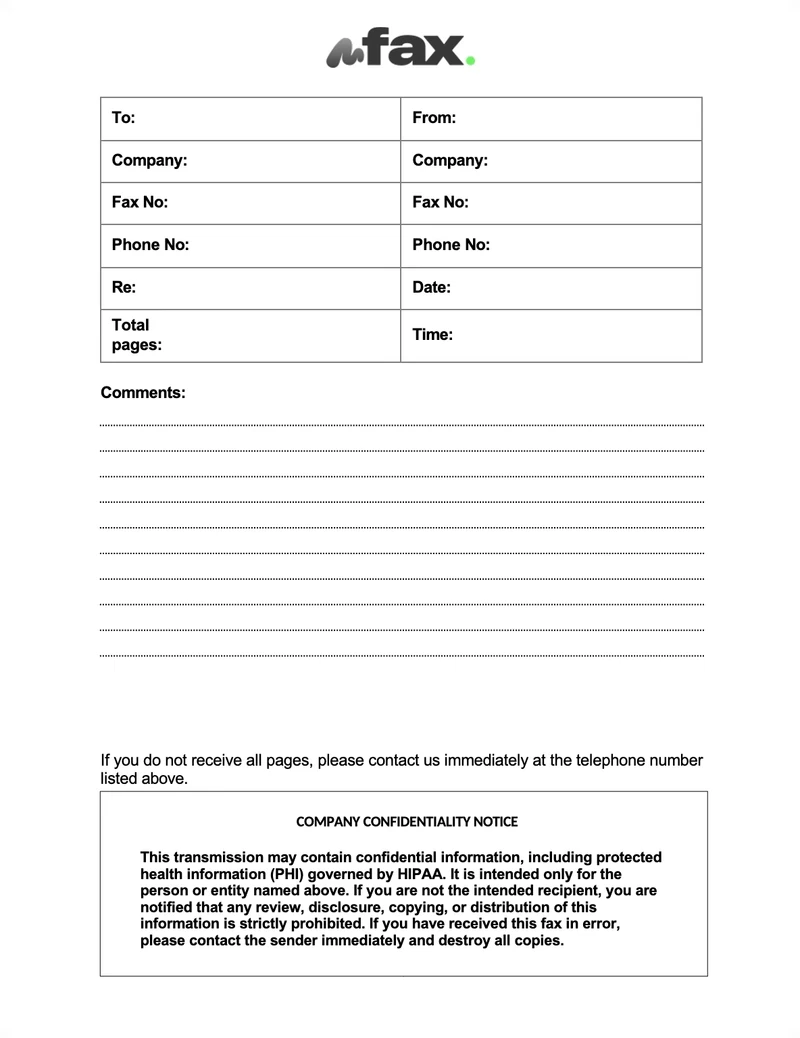
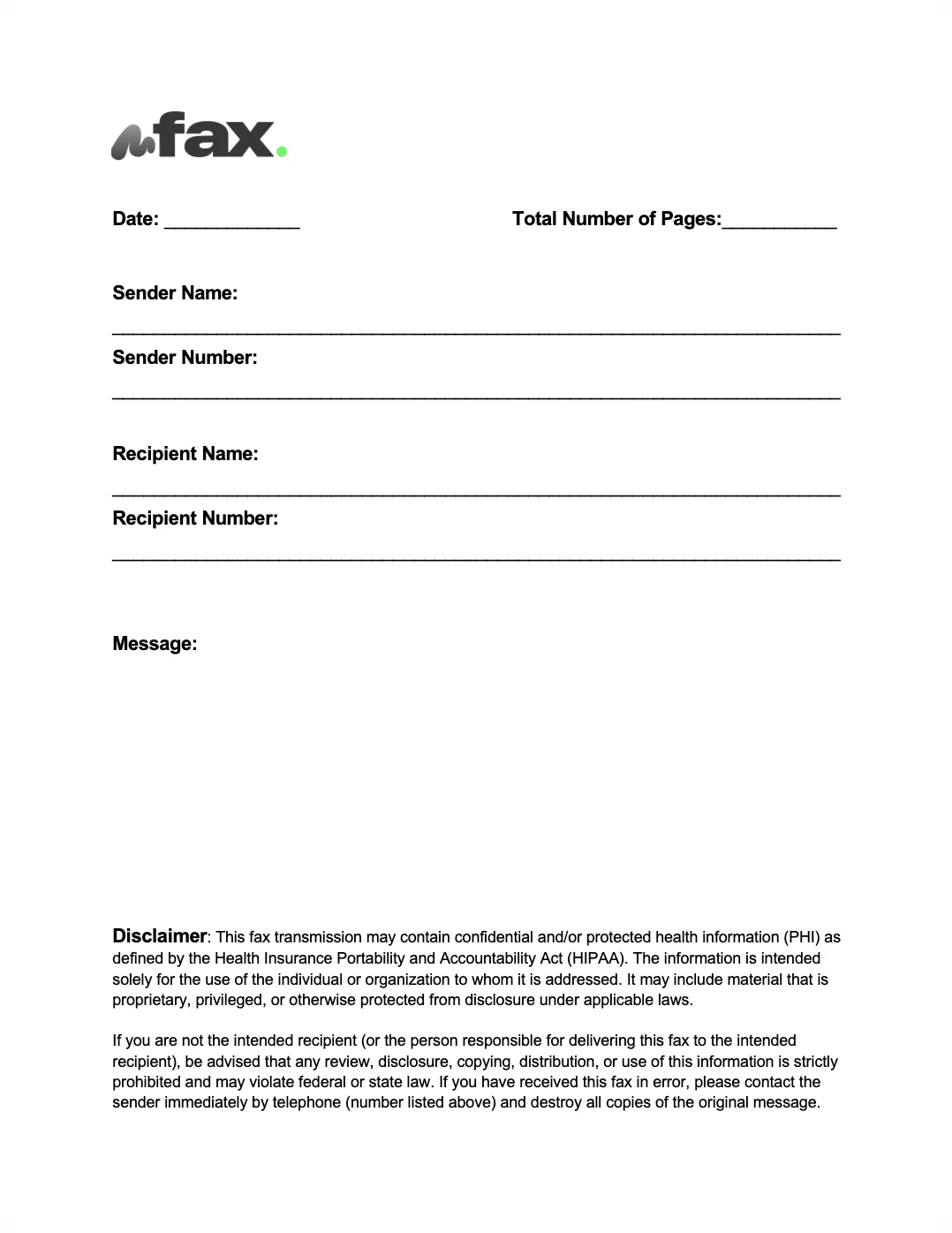
Pick a layout below and download it as a print-ready PDF or an editable Word (DOCX) file — no signup, no email required. Both include the standard routing fields and a built-in confidentiality notice. Prefer to copy and paste instead? Scroll down for the plain-text templates you can drop into any document.
PDF or Word — Which Should I Use?
Download the PDF if you want to print it, fill it in, and fax it as-is — the layout stays locked on any fax machine. Download the Word (DOCX) file if you want to type your details in, add a company logo, or change the wording. Either way, send it as a PDF for the cleanest result.
What Is a Fax Cover Sheet?
A fax cover sheet is the first page of a fax transmission. It tells the recipient who the fax is for, who sent it, how many pages to expect, and what the fax is about. Think of it as the envelope for your document.
A cover sheet matters most in two situations: when a fax goes to a shared machine (so staff can route it to the right person), and when the document is sensitive (so a confidentiality notice protects you legally if it ends up in the wrong hands). For a deeper look at the purpose and history, see our guide on what is a fax cover sheet.
What to Include on a Free Fax Cover Sheet
Every free fax cover sheet should contain these fields, regardless of which template you use:
| Field | Required | Notes |
|---|---|---|
| Recipient name | Yes | Full name and title if known |
| Recipient fax number | Yes | The single most critical field — one wrong digit misdirects everything |
| Recipient company | Recommended | Essential in large offices with shared fax lines |
| Recipient phone | Recommended | For follow-up if pages are missing |
| Sender name | Yes | Your full name |
| Sender fax number | Yes | So they can confirm receipt or request a retransmission |
| Sender phone | Recommended | For questions or urgent callbacks |
| Date | Yes | Provides a legal record of when you sent |
| Total pages | Yes | Always include the cover sheet in the count |
| Subject | Yes | Brief description — not the full content |
| Message | Optional | Instructions, context, or a deadline |
| Confidentiality notice | Highly recommended | Legal protection if the fax is misdirected |
Never Put Sensitive Data on the Cover Sheet
The cover sheet sits on top of the fax machine tray — visible to anyone walking past. Routing information only. Put SSNs, account numbers, diagnoses, and patient names on page two or later.
Free Fax Cover Sheet Templates
Prefer to copy and paste rather than download a file? Here are the same five templates as plain text — copy the block, paste it into Word or Google Docs, fill in the brackets, and export as PDF before sending. (For ready-made files, use the download buttons above.)
1. Basic / General Purpose
The simplest option — works for personal faxes, one-off documents, and any situation that doesn't require formal business or medical formatting.
FAX COVER SHEET
──────────────────────────────────────────────────────
TO:          [Recipient Name]
FAX:         [Recipient Fax Number]
PHONE:       [Recipient Phone]

FROM:        [Your Name]
FAX:         [Your Fax Number]
PHONE:       [Your Phone]
DATE:        [Date]
PAGES:       [Total Pages] (including this cover sheet)
──────────────────────────────────────────────────────
SUBJECT:     [Brief Subject Line]

MESSAGE:
[Your message here. Keep it to 2–3 sentences.]

──────────────────────────────────────────────────────
CONFIDENTIALITY NOTICE: This fax is intended only for
the individual named above. If received in error, please
notify the sender immediately and destroy this document.
2. Business Professional
Use this for contracts, proposals, invoices, or formal correspondence where company name, department routing, and a reference number matter.
[YOUR COMPANY NAME]
FAX COVER SHEET
──────────────────────────────────────────────────────
ATTENTION:   [Recipient Name]
TITLE:       [Recipient Title / Department]
COMPANY:     [Recipient Company Name]
FAX:         [Recipient Fax Number]
PHONE:       [Recipient Phone]

FROM:        [Your Name]
TITLE:       [Your Title]
COMPANY:     [Your Company]
FAX:         [Your Fax Number]
PHONE:       [Your Phone]
EMAIL:       [Your Email]

DATE:        [Date]
REFERENCE:   [Reference or Invoice Number, if applicable]
PAGES:       [Total Pages] (including this cover sheet)
──────────────────────────────────────────────────────
SUBJECT:     [Brief Subject]

MESSAGE:
[Your message here — one or two sentences max.]

──────────────────────────────────────────────────────
CONFIDENTIALITY NOTICE: The information in this fax is
confidential and intended solely for the recipient above.
Unauthorized use, disclosure, or distribution is strictly
prohibited. If received in error, notify us immediately
and destroy all copies.
3. HIPAA Medical
Use this when sending protected health information (PHI) — doctor-to-doctor referrals, insurance claims, hospital records. Do not write patient names or diagnoses on the cover sheet itself — use a reference number only.
HEALTHCARE FAX COVER SHEET
──────────────────────────────────────────────────────
ATTENTION:   [Provider Name / Department, e.g. Medical Records]
FACILITY:    [Hospital or Clinic Name]
FAX:         [Recipient Fax Number]
PHONE:       [Recipient Phone]

FROM:        [Your Name / Practice Name]
FAX:         [Your Fax Number]
PHONE:       [Your Phone]

DATE:        [Date]
RE:          [Reference or Case Number ONLY — no patient name]
PAGES:       [Total Pages] (including this cover sheet)
──────────────────────────────────────────────────────
MESSAGE:
[Generic routing note only, e.g. "Records requested
per attached authorization form."]

──────────────────────────────────────────────────────
HIPAA CONFIDENTIALITY NOTICE:
This fax contains protected health information (PHI)
that is legally privileged and confidential under HIPAA
(45 CFR § 164.530). It is intended only for the use of
the individual or entity named above. If you have
received this communication in error, you are prohibited
from disclosing, copying, or using its contents. Please
notify us immediately at the number above and destroy
all copies of this transmission.
For full guidance on HIPAA-compliant faxing, including how to choose a secure fax service, see our HIPAA fax cover sheets guide.
4. Confidential
Use this when sending sensitive business documents — legal agreements, HR files, financial statements — that need an explicit "do not share" instruction at the top.
★ CONFIDENTIAL — RESTRICTED DISTRIBUTION ★
──────────────────────────────────────────────────────
TO:          [Recipient Name]
COMPANY:     [Recipient Company]
FAX:         [Recipient Fax Number]

FROM:        [Your Name]
COMPANY:     [Your Company]
DATE:        [Date]
PAGES:       [Total Pages] (including this cover sheet)
──────────────────────────────────────────────────────
SUBJECT:     CONFIDENTIAL — [Brief Subject]

MESSAGE:
[Your note here]

──────────────────────────────────────────────────────
THIS DOCUMENT IS CONFIDENTIAL AND PRIVILEGED.
It is intended only for the person named above.

If you are not the intended recipient:
(1) Do not read, copy, or disclose the contents.
(2) Notify the sender immediately by phone.
(3) Destroy this document and all copies.

Unauthorized disclosure may result in legal liability.
5. Urgent / Priority
Use this when a document needs immediate attention — a deadline is today, an approval is overdue, or a correction is time-sensitive. The bold headers help it stand out in a busy office pile.
★★★ URGENT — PLEASE DELIVER IMMEDIATELY ★★★
──────────────────────────────────────────────────────
ATTENTION:   [Recipient Name]
DEPARTMENT:  [Department]
FAX:         [Recipient Fax Number]

FROM:        [Your Name]
PHONE:       [Your Phone]
DATE:        [Date]
PRIORITY:    URGENT / ACTION REQUIRED BY [Date or Time]
PAGES:       [Total Pages] (including this cover sheet)
──────────────────────────────────────────────────────
SUBJECT:     URGENT — [Subject]

PLEASE ACTION IMMEDIATELY:
[State what needs to happen and by when. Be specific.]

If all pages have not been received, call [Your Phone] ASAP.
For additional template variations — including copy-paste blocks formatted for specific industries — see our fax cover sheet templates guide.
Free Fax Cover Sheet Downloads by Format
Want a different format — a Google Docs version, a fillable PDF, or a blank layout to build from? Our format-specific guides have you covered:
| Format | Best For | Guide |
|---|---|---|
| Word (.docx) | Editing on desktop, adding a company logo | Fax Cover Sheet Word |
| PDF (fillable) | Typing directly into a form without a word processor | Fax Cover Sheet PDF |
| PDF (printable) | Print and fill out by hand | Printable Fax Cover Sheet |
| Google Docs | Cloud editing, sharing with a team | Fax Cover Sheet Google Docs |
| Blank template | Building a custom layout from scratch | Blank Fax Cover Sheet |
Always Export as PDF Before Faxing
Whatever format you start with, convert to PDF before sending. PDF locks your layout so fonts and margins don't shift when received by older fax machines. Use the free mFax.to Document Converter to convert Word, Google Docs, or any other format to PDF in one click.
How to Fill Out a Fax Cover Sheet in 5 Steps
Fill in the Recipient's Details First
Start with the TO section: full name, fax number, company, and direct phone number. The fax number is the most critical field — one wrong digit sends your document to a stranger. Double-check it against the source (the contact's website, a business card, or a previous fax header) before you continue.
Add Your Sender Information
Complete the FROM section with your name, fax number, phone, and email. Your phone number gives the recipient a way to call if pages are missing or the transmission fails. Including your fax number lets them send back a confirmation or return document.
Enter the Date and Page Count
Set today's date. For the page count, count all pages including the cover sheet. If you're sending a four-page contract, the cover sheet makes it five — write "5 pages." This is how the recipient verifies the entire fax arrived without missing pages.
Write a Clear Subject Line and Message
The subject line should be specific enough to route the fax without the recipient reading the attached documents: "Signed Lease Agreement — Unit 4B" beats "Documents." The message field is optional — use it for instructions, context, or a deadline. Keep it to two or three sentences.
Include a Confidentiality Disclaimer
All five templates above include a confidentiality notice. For routine business faxes, the basic or professional notice is sufficient. For medical faxes, use the HIPAA language — a generic "confidential" disclaimer does not satisfy HIPAA best practices. Copy one of the notices above or generate one automatically via the mFax.to cover sheet generator.
5 Mistakes to Avoid
These five errors cause most fax routing problems and legal headaches:
1. Wrong page count. If you write "3 pages" but send 4, the recipient assumes one page didn't arrive and requests a retransmission. Recount every time — it takes five seconds and saves a lot of back-and-forth.
2. Sensitive data on the cover sheet. Names, account numbers, diagnoses, and Social Security numbers belong on the pages behind the cover sheet, never on the front. The cover sheet sits face-up in a shared tray where anyone can read it.
3. Vague subject line. "See attached" or "Documents enclosed" tells the recipient nothing and delays routing. Write a subject that identifies the document immediately: "Authorization Request — Ref #12345" or "Insurance Claim — Policy #XYZ."
4. Missing sender fax number. If the recipient can't reach you by fax to confirm receipt, you lose time to phone tag. Always include your fax number in the FROM section.
5. Sending in Word format. Word documents can reflow when received by older fax machines, shifting margins and misaligning fields. Export to PDF first — it takes ten seconds and eliminates layout problems. Our free Document Converter handles this instantly.
Skip the Template Entirely
mFax Handles the Cover Sheet for You
Upload your document at mFax.to, toggle "Add Cover Page", and the app automatically generates a correctly formatted cover sheet with your saved sender details and a standard confidentiality notice. No copy-paste, no formatting, no PDF conversion — just send.
Over 5 million people use mFax to send faxes from their phone or browser in under 2 minutes. For business teams that need HIPAA compliance, virtual fax numbers, and shared inbox access, mFax Business starts at about $9/mo (billed annually) — a fully customizable plan where you build your own setup with a live calculator, choosing the exact seats and pages you need and paying only for what you use.
You now have five free fax cover sheet templates for every situation, a field-by-field guide on what to include, download links for every format, and a step-by-step walkthrough for filling one out. Whether you're sending a routine business document, a medical record, or an urgent contract, one of the templates above will cover it.
For format-specific guides, see fax cover sheet PDF or fax cover sheet Word. For resume-specific cover sheets, see our fax cover sheet for resume guide.